Streaming Management What It Is Why It Matters and How to Manage Live Video Workflows More Efficiently
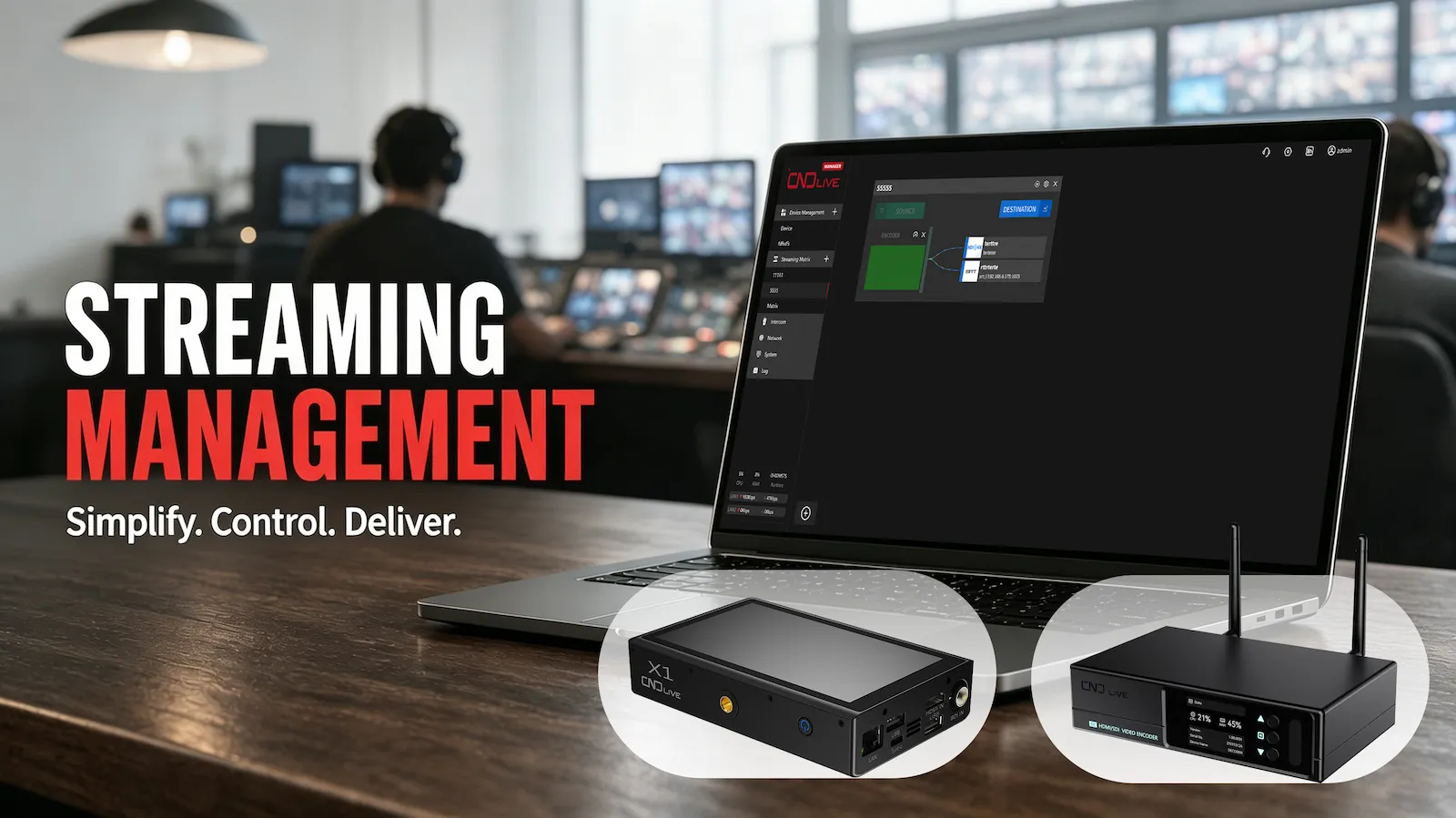

Live streaming has become much more than simply connecting a camera to an encoder and pressing “Go Live.” Modern streaming workflows can involve multiple cameras, video encoders, decoders, network connections, streaming servers, destinations, and production platforms.
As the number of devices and streams increases, managing everything individually can quickly become complicated.
This is where streaming management becomes important.
Streaming management refers to the tools, processes, and technologies used to organize, configure, monitor, route, and maintain streaming devices and video streams. For professional live production environments, effective streaming management can reduce repetitive work, simplify troubleshooting, and make complex IP video workflows easier to operate.
For teams working with multiple encoders, decoders, or streaming sources, a centralized management platform can provide a much more efficient way to control the entire workflow.
What Is Streaming Management?
At its simplest, streaming management is the process of controlling and maintaining the different components involved in a live streaming workflow.
A small streaming setup might only include:
- One camera
- One encoder
- One computer
- One streaming platform
In this situation, there may be little need for dedicated streaming management software.
However, professional workflows are often more complicated. A live event may use several cameras, multiple encoders, different network connections, several streaming destinations, and dedicated decoding or routing equipment.
Instead of configuring each device separately, streaming management software can provide a centralized interface for handling these components.
Depending on the platform, streaming management may include functions such as device configuration, remote monitoring, firmware updates, stream routing, network management, stream status monitoring, and troubleshooting.
The goal is not simply to add another software tool to a production workflow. The goal is to make the workflow easier to understand and operate.
Why Is Streaming Management Important?
The need for streaming management usually becomes obvious when a system starts to grow.
Imagine a production team managing ten encoders across several rooms or locations. If every encoder has to be configured individually, an operator may need to log into each device, check its settings, update firmware, restart it when necessary, and verify its video output.
That process may be manageable with a few devices, but it becomes increasingly inefficient as the system grows.
Centralized streaming management changes this workflow.
Instead of treating every device as an isolated system, operators can view and manage multiple devices from a single interface.
This can provide several important benefits.
1. Centralized Device Management
The first advantage is simple: everything is easier to organize.
A centralized management platform can provide a single location for managing connected encoders, decoders, and other compatible devices.
For example, CNDLive Manager is designed as a centralized management platform for CNDLive IP devices. It supports CNDLive encoders, decoders, and bonding encoders and allows users to remotely configure device parameters and perform operational functions.
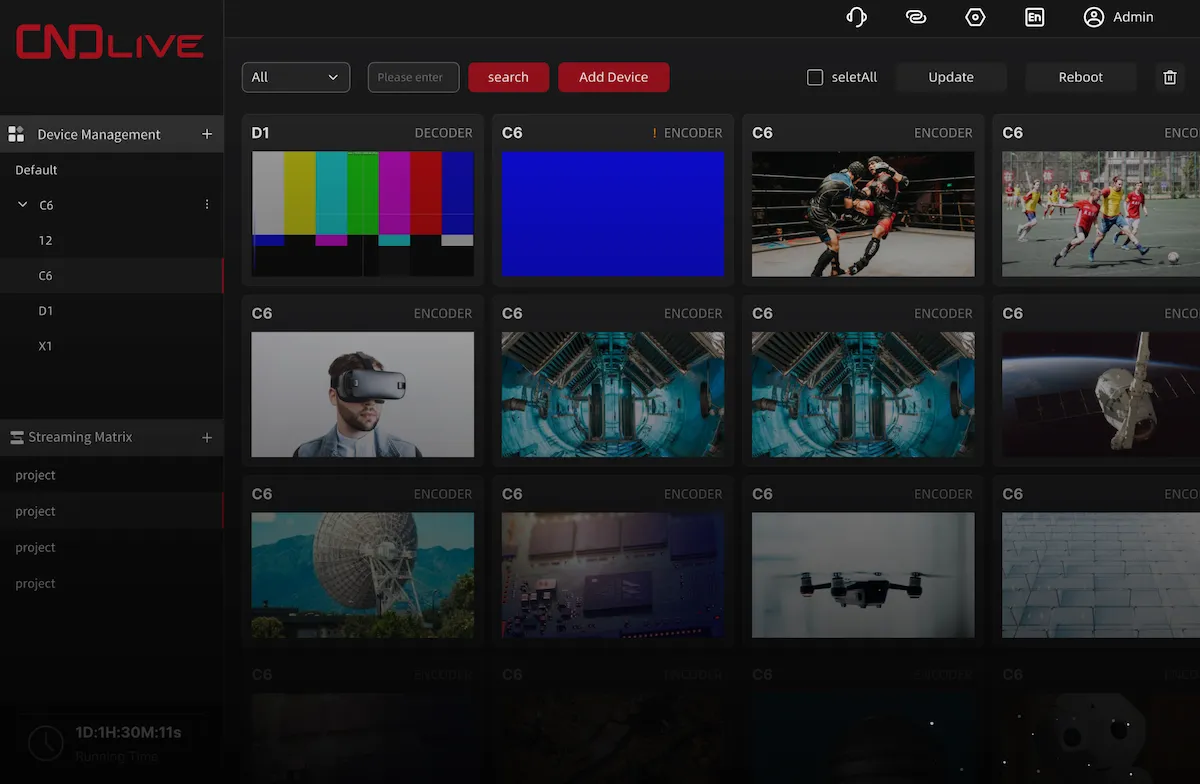
This approach can be particularly useful for live production companies, broadcasters, event teams, houses of worship, educational institutions, and other organizations that operate multiple streaming devices.
Instead of remembering the IP address or management interface of every device, operators can work from a centralized environment.
2. Remote Configuration Saves Time
Another important part of streaming management is remote configuration.
In a traditional workflow, an engineer may need physical access to a device to change certain settings. If the device is installed in a difficult-to-reach location, this can create unnecessary work.
Remote management allows operators to make configuration changes from the management interface instead.
This is particularly valuable for equipment installed in:
- Event venues
- Broadcast facilities
- Houses of worship
- Lecture halls
- Sports venues
- Remote production locations
- Distributed AV systems
Remote configuration does not eliminate the need for good network planning, but it can significantly reduce the amount of physical intervention required during day-to-day operations.
Managing Multiple Streaming Devices
As a streaming operation expands, device management becomes one of the biggest operational challenges.
An encoder might be responsible for Camera 1, another encoder might handle Camera 2, while a third device provides a backup stream.
At the same time, decoders may be receiving streams for displays, production systems, or other destinations.
Without centralized management, operators may have to switch between multiple interfaces to understand what is happening.
A streaming management platform can provide a common operational layer.
With CNDLive Manager, for example, users can remotely manage compatible CNDLive devices, perform batch firmware upgrades, and preview current encoded or decoded video from connected CNDLive products.
This is useful not only for large broadcast operations, but also for smaller production teams that want their systems to remain organized as they grow.
What Is a Streaming Matrix?
One of the most useful concepts in modern IP video workflows is the streaming matrix.
A streaming matrix provides a visual way to understand and control how video sources are connected to destinations.
Consider a simple example.
You have:
- Three video encoders
- Two streaming servers
- Several IP video sources
- Multiple destinations
Those destinations might include a decoder, a video production system, or an online streaming platform.
Instead of manually configuring each connection, a streaming matrix can represent these relationships visually.
The operator can see which source is connected to which destination and make changes from a centralized interface.
This becomes especially useful when a production contains many sources and destinations.
How Does a Streaming Matrix Work?
The exact implementation varies between systems, but the basic concept is straightforward.
A source produces or provides a stream.
The management system receives that stream and allows the operator to define where it should go.
For example:
Camera → Encoder → Streaming Server → Decoder
Or:
Camera → Encoder → Streaming Server → vMix
Or:
Camera → Encoder → Multiple Streaming Destinations
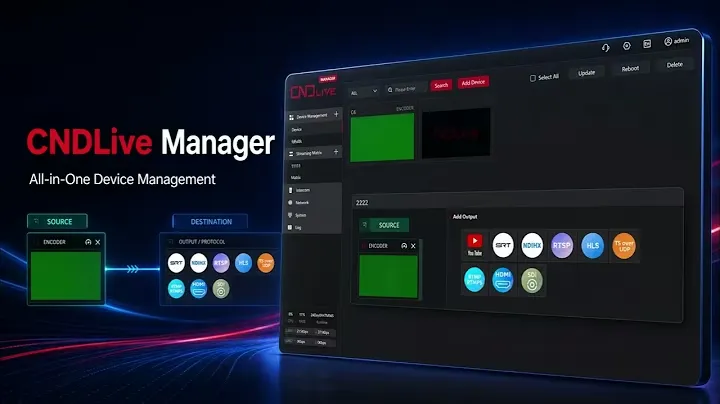
With CNDLive Manager, users can visually connect streams from CNDLive devices or other IP streams to destinations through the Stream Matrix interface.
The screenshot above illustrates this concept: a source device can be visually connected to a destination using the graphical interface.
This type of visualization can make complex streaming workflows much easier to understand than a collection of separate configuration pages.
Why Is Stream Routing Important?
Stream routing becomes increasingly important when live production systems become more complex.
Imagine a sports production where several cameras are producing different feeds.
The production team may need:
- Camera 1 for the main program
- Camera 2 for a close-up
- Camera 3 for a secondary production
- A clean feed for another destination
- A program feed for an online platform
If every connection is configured independently, changing the workflow can take time.
A graphical routing system can make these relationships easier to see and modify.
This can be particularly useful when a production team needs to quickly change where a stream is going.
For example, a stream originally sent to a decoder could potentially be redirected to another destination without rebuilding the entire workflow.
The key benefit is visibility.
When an operator can see the relationships between sources and destinations, troubleshooting and workflow changes become easier.
Streaming Management and Network Connectivity
Streaming management is not only about video devices.
Network connectivity is another important part of a reliable streaming workflow.
Professional encoders may use multiple network connections for additional flexibility or redundancy. Bonding technology can combine or intelligently manage multiple network connections to improve connectivity in challenging environments.
CNDLive Manager provides online monitoring for bonding connectivity on compatible CNDLive devices. According to CNDLive, devices with multiple network connections can automatically adjust the proportion of transmitted data across those connections using CNDLive's proprietary algorithms.
This can be useful for applications where network conditions are less predictable, such as outdoor events, remote locations, or temporary production environments.
However, it is important to understand that streaming management does not replace good network design.
A reliable live streaming workflow still requires appropriate bandwidth, network stability, correctly configured devices, and suitable streaming protocols.
Supporting Different Streaming Protocols
Modern video workflows rarely rely on a single streaming protocol.
Different applications may require different protocols depending on the source, destination, network environment, and production platform.
CNDLive Manager supports server streaming using protocols including SRT, RTMP, RTMPS, HLS, TS-UDP, and RTSP.
For example:
SRT is commonly used when reliable transmission is important, particularly across unpredictable networks.
RTMP remains widely used for live streaming workflows and online platforms.
RTMPS provides an encrypted version of RTMP for supported applications.
HLS is widely used for HTTP-based video delivery.
RTSP is frequently encountered in IP video and camera-related workflows.
The important point is that streaming management should help operators work with the protocols required by their particular workflow rather than forcing every application into the same architecture.
Batch Firmware Updates for Multiple Devices
Device maintenance is another area where centralized streaming management can save time.
Firmware updates are important because manufacturers may release updates to improve functionality, compatibility, security, or stability.
When a production contains multiple devices, updating them individually can become repetitive.
A centralized management platform can make this process more efficient.
CNDLive Manager supports batch firmware upgrades for compatible CNDLive products, allowing operators to manage updates from the centralized platform.
This is particularly useful for organizations with multiple similar devices.
Keeping devices on consistent firmware versions can also make system maintenance easier because operators have fewer configuration differences to investigate when troubleshooting.
As always, firmware updates should be planned carefully for production-critical systems. Teams should verify compatibility and avoid performing unnecessary changes immediately before an important live event.
Real-Time Video Preview
Another useful feature of centralized streaming management is video preview.
A configuration page can tell you that a device is connected, but seeing the actual video feed can provide much more useful information.
CNDLive Manager supports real-time preview of current encoding or decoding video across compatible CNDLive products.
This can help operators answer practical questions quickly:
- Is the encoder receiving video?
- Is the correct camera connected?
- Is the decoder receiving the expected source?
- Is the wrong feed being routed?
- Is the system producing the expected output?
Visual monitoring can therefore complement technical status information and make troubleshooting more intuitive.
Who Can Benefit from Streaming Management?
Streaming management is not limited to large broadcasters.
It can be useful for many different types of organizations.
Live Event Production
Concerts, conferences, exhibitions, and corporate events can involve multiple cameras, encoders, destinations, and production systems.
Centralized management can help operators maintain control over the workflow while the event is running.
Sports Production
Sports events often require multiple camera feeds and complex routing.
A streaming matrix can help production teams visualize and manage these connections.
Houses of Worship
Churches and other houses of worship increasingly use professional streaming systems to distribute services to online audiences.
As the system grows, centralized management can reduce the complexity of operating multiple encoding and decoding devices.
Education
Universities, schools, and training organizations may have multiple classrooms or lecture halls equipped for video streaming.
Centralized device management can help technical teams manage equipment across different rooms.
Corporate and Enterprise AV
Large organizations may operate distributed AV systems across offices, meeting rooms, training centers, or event spaces.
Remote management can reduce the need for technicians to physically access every device.
What Should You Look for in Streaming Management Software?
Not every streaming management platform is designed for the same type of workflow.
When evaluating a solution, consider several questions.
Does it support your devices?
The first question is compatibility.
A management platform is most useful when it can communicate directly with the encoders, decoders, servers, and other equipment used in your workflow.
Can you manage devices remotely?
Remote configuration and control can save significant time when equipment is installed in different locations.
Does it support batch operations?
If you have multiple devices, look for functions such as batch firmware updates, batch configuration, reboot, and other administrative operations.
Can you monitor actual video?
Status information is useful, but real-time video preview can provide another level of visibility.
Does it provide stream routing?
If your workflow includes multiple sources and destinations, a graphical streaming matrix can make routing considerably easier to understand.
Does it support the protocols you need?
Check whether the system supports the protocols required by your current workflow and future plans.
Can the system scale?
A management solution should not only solve today's problem. It should also make it easier to expand the system later.
CNDLive Manager for Centralized Streaming Management
For organizations using CNDLive hardware, CNDLive Manager provides a centralized environment for device and streaming management.
The platform is designed to manage CNDLive IP devices, including encoders, decoders, and bonding encoders. It combines remote device configuration, operational controls, firmware management, video preview, bonding connectivity monitoring, server streaming, and Stream Matrix functionality in one platform.
One of its key features is the Stream Matrix.
click here : https://youtu.be/h2S5j6g2X7s
Instead of treating every stream as an isolated configuration, the graphical interface allows users to visually connect IP streams to destinations. This provides a more intuitive way to understand and manage complex routing relationships.
CNDLive Manager can also generate streams from connected CNDLive encoders using multiple protocols, including SRT, RTMP, RTMPS, HLS, TS-UDP, and RTSP.
For production teams already using CNDLive hardware, this creates a more unified workflow between the physical devices and the management layer.
You can learn more about the platform on the CNDLive Manager product page.
Streaming Management vs. Manual Device Management
So, do you actually need streaming management software?
For a very small setup with one encoder and one destination, probably not.
You can configure the encoder directly and manage the stream manually.
But once you start adding more devices, destinations, network connections, and production requirements, centralized management becomes much more valuable.
The difference can be summarized simply:
Manual management:
Device → Configure → Check → Update → Repeat
Centralized streaming management:
Multiple Devices → Centralized Platform → Configure / Monitor / Route / Update
The second approach does not necessarily eliminate every technical task. Instead, it provides a more organized way to perform those tasks.
That distinction is important.
Good streaming management is not about making professional video systems completely automatic. It is about giving operators better visibility and control.
Frequently Asked Questions About Streaming Management
What does streaming management mean?
Streaming management refers to the tools and processes used to configure, monitor, maintain, and route devices and video streams within a streaming workflow.
It can include device management, remote configuration, stream routing, network monitoring, firmware updates, and video monitoring.
Do I need streaming management software for one encoder?
Usually, a dedicated management platform is less important for a very small setup with only one encoder.
The benefits become more significant when you have multiple devices, multiple streams, remote equipment, or more complicated routing requirements.
What is a streaming matrix?
A streaming matrix is a visual interface for managing connections between video sources and destinations.
It can help operators understand and modify complex IP video routing without manually configuring every connection.
What is the difference between streaming management and stream monitoring?
Stream monitoring focuses primarily on understanding the status and performance of streams.
Streaming management is broader. It can include monitoring, but also device configuration, firmware updates, routing, operational controls, and other administrative tasks.
Can streaming management be used for live events?
Yes. Live events are one of the applications where centralized management can be particularly useful because production teams often need to manage multiple sources, encoders, destinations, and network connections under time pressure.
Can CNDLive Manager manage multiple CNDLive devices?
Yes. CNDLive Manager is designed as a centralized management platform for CNDLive IP devices, including compatible encoders, decoders, and bonding encoders.
Conclusion
As live video workflows become more complex, managing individual streaming devices separately can create unnecessary operational work.
Streaming management provides a more centralized approach.
Instead of treating encoders, decoders, streams, and network connections as completely separate components, a management platform can bring them together into a more organized workflow.
The most useful streaming management features typically include centralized device management, remote configuration, monitoring, firmware maintenance, stream routing, and support for the protocols required by professional video workflows.
For organizations using CNDLive equipment, CNDLive Manager brings these capabilities together in a centralized platform, with Stream Matrix providing a visual way to manage connections between IP streams and destinations.
Whether you are managing a live event, sports production, house of worship, educational facility, or enterprise AV environment, the objective is the same:
Make the streaming workflow easier to see, easier to control, and easier to maintain.
That is the real value of streaming management.